Wednesday, November 09, 2011

Performance with PowerShell

Over the weekend, at the most recent PowerShell PowerCamp, I got to discussing the performance of PowerShell. The point I was making was that PowerShell made doing some things very easy, even though they were not performant. Two examples are the early filtering  of WMI data using –Filter (vs using Where-Object after you retrieve all the data from a remote machine) and the two variants of ForEach.

In the case of WMI, where you early filter properties/occurrences on the target machine, PowerShell has less data to serialize and transmit across the network. Also, late filtering requires more local memory, and additional processing. Thus I’d expect early filtering to be faster. We are thus comparing two statements which might look something like this:

Get-WMIObject win32_share -computer  Cookham1 -filter "Description='remote admin'"

versus

Get-WMIObject win32_share -computer  Cookham1  | Where {$_.description -eq 'remote admin'}

In the first example, only one share is returned from Cookham1, whereas in the second example multiple shares are returned and are then filtered locally (aka late filtering). If I wrap both of these commands in a Measure-Command, and do the operation a number of times, the code and results look like this:


Psh[Cookham8:fmt:\]>"Early Filter:"
" {0} ms"  -f  ((Measure-command {1..100 | foreach {
Get-WMIObject win32_share -computer  Cookham1 -filter "Description='remote admin'"}}).totalmilliseconds).tostring("f")

"Late filter:"
" {0} ms"  -f  ((Measure-command {1..100 | foreach {
Get-WMIObject win32_share -computer  Cookham1  | Where {$_.description -eq 'remote admin'}}}).totalmilliseconds).tostring("f")
Early Filter:
1948.91 ms
Late filter:
2715.44 ms

So the difference between late filter and early filter is around 28%, although if I run this test a few times, the numbers do vary a bit, but almost always early filtering is in the region of 20% faster.

But a much bigger difference was observed by Anita Boorboom, a Dutch SharePoint guru, in the second case, i.e. using For-Each-object (vs using ForEach in a pipeline).

When you use the foreach operator in a pipeline, PowerShell is able to optimise the creation of objects at one stage of a pipeline and their consumption in the next. Using Foreach-Object, you need to first persist all the objects you wish to iterate across, then perform the iteration. The latter clearly requires a bit more processing and it is likely to require more memory (which can be a bad thing if the collection of objects is large! I knew this, but Anita’s results were a little more than I was expecting, so I duplicated her scripts, well nearly, and found here results were indeed correct, like this:

$items = 1..10000
Write-Host "ForEach-Object: "
" {0} ms"  -f ((Measure-Command { $items | ForEach-Object { "Item: $_" } }).totalmilliseconds).tostring("f") 
Write-Host "Foreach: "
" {0} ms" -f ((Measure-Command {Foreach ($item in $items) { "Item: $item" }}).totalmilliseconds).tostring("f")
ForEach-Object:
  629.73 ms
Foreach:
31.84 ms

Thus the pipelined foreach is nearly 20 times faster for this experiment. I ran this code several times, and the multipler was consistently in the 20-30 times as fast range. That floored me. The For-Each Object does require PowerShell to instantiate every object in memory, then to iterate over it, vs iterating as it instantiates. But I did not expect a 20-30 fold difference in performance!

So it’s obvious that some language constructs will be a little more efficient, You also need to consider the time it takes to write the code, and how often it will be run.  In the first case above, I managed to save just over 750ms by using early WMI filtering. But it probably took me more than that just to write the code for early binding. And for a lot of admins that don’t know WMI very well, filtering using Where-Object is familiar and uses PowerShell Syntac (the –filter clause on Get-WMIObject used WQL which is different). In the second case, the difference was staggering. Of course, when the processing you want to apply to the collection members is non-trivial (i.e. more than a couple of lines of code), you often find the improvement in readability of the resulting script block to be worth considering. By using task oriented variable names, the resulting code is easier to read then when you use $_. And for some production orient5ed scripts, that improvement in readability may be worthwhile.

In summary, there always a lot of different ways to achieve the same result in PowerShell. I advocate using what is easiest for you to remember. At the same time, PowerShell can provide some big performance differences between the approaches – and it pays to know more!

Technorati Tags: ,

Thursday, November 03, 2011

PowerShell PowerCamp Soon Come!

We’re locked and loaded for this week-end’s PowerShell PowerCamp event in London this Saturday and Sunday November 5 and 6 in London Victoria. We had a few last minute cancellations, but in all we have 19 folks signed up (and room for 2 more late bookers should you be interested). And owing to landlord works, the event has been moved to the building next door – but everything will be alight on the night as they say.

I’ve got a box of nice new memory sticks to copy all the collateral onto – one for each attendee. I’ve also got copies of some cool software for all who turn up as well. And in the unlikely event that Wiley gets their act together and the books actually arrive, I may have a copy or two of our PowerShell Bible book (but as Wiley ship books by surface, it’s a month after the copies shipping but they’ve still not arrived).

Should you be at a loose end this weekend and fancy a two day PowerShell boot camp, please email me (DoctorDNS@Gmail.com) as due to the two late cancellations, there’s still a bit of room. Alternatively, I am hoping to do another weekend event in the Spring (and will announce it as soon as I get the dates etc. lined up which will probably not be till late-November/early-December).

And for any PowerShell addicts who happen to find themselves in London on Saturday, we’ll be having PowerDrinks (also known as beer and other drinks!)starting at 17:15 on Saturday. Send me mail and I’ll send you the co-ordinates of the event!

Technorati Tags: ,,

Tuesday, November 01, 2011

Introduction to WMI and PowerShell – A NEW Pluralsight Course

I am quite pleased to be able to announce I’ve finished my first video class for Pluralsight, Introduction to WMI and PowerShell. It’s now available for viewing for Pluralsight subscribers.  I’ve been watching it a bit this morning and it’s not bad, if I do say so myself. Smile

The course is a total of 2:29, and is broken down into 5 modules as follows:

  • Introduction to WMI and PowerShell (21:28) – Describes WMI in Windows and discusses some of the key WMI exploration tools. The module then looks at PowerShell support for WMI in PowerShell V3, and describes the WMI cmdlets. The module finishes with some of the gotchas you need to be aware of when using WMI with PowerShell.
  • Using PowerShell and WMI  (34:37) This module looks at accessing WMI data, including instances, instance properties and methods, WMI classes, and static class methods. We cover the use of the key WMI cmdlets and explain the use of Type Accelerators.
  • Practical PowerShell (24:42)  - This module looks at the range of data you can use in WMI. We show key namespaces and key classes you might leverage. The module also looks at some of the security settings you might make use of when using WMI in a Enterprise environment.
  • Using WMI Query Language (29:36) – Describes the WMI Query Language and how to use it with the PowerShell WMI cmdlets.
  • WMI Eventing (39:16) - This final module looks at accessing WMI events. It shows how to create both temporary and permanent event subscribers for intrinsic, extrinsic, and timer events. It also explains all those terms and shows how to leverage WMI’s eventing subsystem.

So if you are currently a Pluralsight subscriber, why not consider it? If nothing else, take the free trial – 10 days access to the entire library, including this course.

And also: a big thank you to Alexandar Nikolic (@alexandair on Twitter) for his proof reading of the course – much appreciated!!

Thursday, October 27, 2011

Pluralsight WebCast on Using WMI from PowerShell

I got a fun call last night – PluralSight has a regular webcast but this week’s presenter has had personal issues – and would I like to do the webcast? Well SURE!  When don’t I like the chance to talk about PowerShell!?!?

As it turns out, this is perfect timing - I’ve just finished developing a new PluralSight course, Using WMI from PowerShell which goes LIVE today. So this web cast is a great opportunity to tell you a bit more about the course, and hopefully tempt you to download it and consume the video! I’ll enjoy talking about it!!

The webcast is at 11:00 US Eastern Time – 16:00 time here in the UK. Please join us at: http://www.pluralsight-training.net/microsoft/Webcasts

Friday, October 07, 2011

Using PowerShell with WMI Events

I’ve been working on a WMI and PowerShell video course for PluralSight (due out soon) and am today working on the last bit of the course which covers Events. I found an MSDN sample written in VBScript. Here’s the VBScript:

Sub SINK_OnObjectReady(objObject, objAsyncContext)
    WScript.Echo (objObject.TargetInstance.Message)
End Sub

Set objWMIServices = GetObject( _
    "WinMgmts:{impersonationLevel=impersonate, (security)}") 

Set sink = WScript.CreateObject("WbemScripting.SWbemSink","SINK_")
 
objWMIServices.ExecNotificationQueryAsync sink, _
    "SELECT * FROM __InstanceCreationEvent " & _
    "WHERE TargetInstance ISA 'Win32_NTLogEvent' "
I spent some time looking at this trying to get my head around what it was actually doing.   Turns out that translating it into PowerShell was fairly simple. Here’s the PowerShell code:

$query = "SELECT * FROM __InstanceCreationEvent WHERE TargetInstance ISA 'Win32_NTLogEvent' "

Register-WmiEvent -Source Demo1 -Query $query -Action {
                Write-Host "Log Event occurred"
                Write-Host "EVENT MESSAGE"
                Write-Host $event.SourceEventArgs.NewEvent.TargetInstance.Message}

Even with the nice spacing that turns 9 hard to understand lines of VB SCript into 2 LONG lines of PowerShell (or 5 as it’s so nicely spaced out here). I could have written it as a one-liner had I wished to go for compactness – but I think spacing it out a bit helps in terms of understaning.

The bottom line for me is that PowerShell is just so much easier to understand – you register for an event. A query tells you which event. And when that event fires, you take some action. Job done.

Technorati Tags: ,

Wednesday, September 28, 2011

PowerShell PowerCamp–November 5/6–Filling Fast

I first started advertising this event in August, with a blog post and some tweets. Since then, we’ve had a good response with 14 folks booked so far. At this rate, we may need a bigger room. I’m going up Saturday to check out the meeting room to ensure all is OK!

In the mean time,  here’s the details of the event:

What is it?

This fast paced weekend event covers all the key aspects of Windows PowerShell - from the command line and writing production-oriented scripts. We start with the basics including installation and configuration, formatting and providers and remoting. We then look at scripting, managing script libraries using modules, using objects, and finishing with the PowerShell features added into Windows. We finish with a look at PowerShell in the cloud and what’s coming with PowerShell 3.  The event will be all lecture, with the opportunity to type along with the tutor.

What is the Agenda?
Day 1 – The Basics
•  PowerShell Fundamentals – starting with the key elements of PowerShell (Cmdlets, Objects and the Pipeline) plus installation, setup, and profiles
•  Discovery – finding your way and learning how to discover more
•  Formatting – how to format output nicely – both by default and using hash tables and display XML
•  Remoting – working with remote systems using PowerShell’s remoting capabilities
•  Providers – getting into OS data stores via PSProviders
Day 2 – Diving Deeper
•  Scripting Concepts – automating everyday tasks including PowerShell’s language constructs, error handling and debugging (both from the command line and using an IDE)
•  Modules – managing PowerShell script libraries in the enterprise
•  .NET/WMI/COM Objects – working with native objects
•  PowerShell and Windows Client/Server – how you can use built in PowerShell cmdlets
•  PowerShell in Key Microsoft Servers - a look at PowerShell today in SQL, SCVMM plus a look forward to the future with SharePoint 2010
•  PowerShell and the cloud – this module looks at PowerShell in the cloud and how you can use PowerShell to manage cloud computing.
•  PowerShell 3 – this final module will show you what’s new in PowerShell V3, based on the the latest Beta of Windows 8

What will it cost?
The cost is £200 (+VAT at the prevailing rate) for the weekend. Meals and accommodation are not covered.

Where is the event going to take place?
The PowerShell PowerCamp will be held at Microsoft Cardinal Place, 100 Victoria Street in Victoria on the weekend of November 5/6 2011.

Who is the tutor?
The PowerShell Weekend PowerCamp will be delivered by Thomas Lee. Thomas is a veteran PowerShell MVP who has been involved in the PowerShell community since the very beginning. He provides training and consultancy around a range of Microsoft products, with a recent focus on PowerShell and Lync Server. Thomas runs PowerShell training courses around the world, and has been a speaker at conferences across the world for the past decade. His Twitter handle is DoctorDNS and he maintains two blogs (Under the Stairs at http://tfl09.blogspot.com and PowerShell Scripts Blog at http://pshscripts.blogspot.com)

PowerBeers after Class on Saturday
I'll also be leading the class across the street to the pub for a beer after we finish on Saturday. I’d be happy to buy the first round! You (and I ) will probably need by then!

Special Guest
I have arranged for a guest PowerShell advocate, Tom Arbuthnot, to come along and add some additional flavour to the event. Tom works for Modality, a great UK Unified Comms consultancy and will be looking both at PowerShell in Lync abut also at wider issues. He’s should be fun!

PowerBeers after Class
I'll also be leading the class across the street to the pub for a beer after we finish on Saturday. I’d be happy to buy the first round! You (and I ) will probably need by then!

What do I need to bring
You need to bring a laptop with at least two VMs pre-configured. The first should be a Server 2008 R2 domain controller and the other one a member server. And if you have access to the Windows 8 beta, bring along a Win8 VM for the look at PowerShell V3. The virtualisation software is not of concern – but you need 64-bit guest OS support. Thus you can use Hyper-V, VMware Workstation or Oracle’s Virtual Box.

Take Aways
After the event, I’ll provide you with a USB memory key with as many of the free PowerShell Goodies as I possibly can. Attendees will also get an NFR license to both Idera’s PowerShell Plus Professional and Quest’s PowerGui Professional.

How do I book?
Contact DoctorDNS@Gmail.com to book a place and to arrange for the invoice to be paid. Payment will need to be cash, cheque or bank transfer – I don’t take credit cards. I will need to limit the total number of attendees, so book now!


More Details
Continue to read this blog!!

I look forward to a few more bookings and two cracking days of PowerShell.

Monday, September 26, 2011

PowerShell V3 and Updateable Help

With PowerShell v2, the help information you can get using Get-Help is fixed. if there are errors in the help information, Microsoft is not going to up date them (until V3 ships). The logic is that PowerShell is a component of Windows and the Help text is not a critical or a security fix – thus we’re not gong to get hot fixes. And given the relatively high bar to bugs that are fixed by Service Packs (it has to be customer impacting - it’s tough to argue erroneous help information falls into that category), thus the only way with V2 to get updated help is to wait for V3.

One good thing Microsoft did do for Version 2 was to add the –Online switch to Get-Help. This switch has Get-Help open a browser window and navigate to the on-line help in TechNet. Since TechNet content can get updated when appropriate, this has been the work around – go online for the latest help information. And looking at the online help topics, there have been a number of changes and fixes.

This changes at V3. With PowerShell V3, Help can be updated mid-version using the appropriately named Update-Help cmdlet. When you first start up PowerShell V3 (CTP1!), you get only basic help material. If you type ‘Get-Help Get-Help, you see the following:

image

As you can see from this screen shot, PowerShell can’t initially find the help information. If you try to run Get-Help About_*, you get none of the help topic files listed. Finally, at least for now, the help link shown in the screen shot takes you to V2 help, which doesn’t really help that much (for the obvious reason that V2 shipped with help information fully implemented). But the screen shot does tell you more or less how to fix the problem – use Update-Help.

When you installed PowerShell V3 CTP1, you downloaded a .cab file from Microsoft then expanded it. When you did the expansion, you created a HelpContent folder which contains the necessary information. With CTP1, help information is localised into German (de-DE), US English (en-US), Spanish (es-ES), French (fr-FR), Italian (it-IT), Japanese (ja-JP), Korean (ko-KR), Brazilian Portuguese (pt-BR), Russian (ru-RU) and Chinese (both zh-CN and zh-TW). So long as your OS is one of these languages, then just use Update-Help specifying the UI culture and the Source path to the Help .cab files. For reasons I’m sure of yet, you seem to need to specify the –Force parameter in order to force PowerShell to update the help information (this may be a feature of the early CTP). Like this:

image

in the longer term, this is going to be a great feature – being able to update help on your local system as Microsoft makes updates. In the short term, I suspect this my cause some confusion.

[Later]

I have been playing with this some more. And I have noticed slightly different behaviour from Update-Help if you run it in the ISE. Hmmm.

Thursday, September 22, 2011

Using PowerShell and WMI to Manage the Registry

For those of you who are very keen eyed, you may have noticed some posts on my PowerShell Scripts blog related to the WMI Registry Provider. I’ve been working on a PowerShell and WMI course which will be published by Plural Sight in October. As part of this, I have been playing with WMI and the Registry provider, which you can easily use via PowerShell.

Microsoft has implemented a nice registry provider withing WMI: the StdRegProv class in the ROOT\DEFAULT WMI class.  This class contains 20 static methods that enable you to perform any Registry action on a local or remote computer. You can access these in two ways, either using New-Object to create a new System.Management.ManagementClass object, specifying the path to the class to the constructor ("Root\default:StdRegProv"). Alternatively, you could use the [WmiClass] Type Accelerator, specifying [WmiClass]"Root\default:StdRegProv". Both return the class object, which contains a number of methods as shown here:

c:\> $x=new-object System.Management.ManagementClass "Root\default:StdRegProv"
c:\> $x.Methods | ft name

Name                                                 
----                                            
CreateKey                                                
DeleteKey                                                
EnumKey                                                  
EnumValues                                                
DeleteValue                                                
SetDWORDValue                                                
SetQWORDValue                                                
GetDWORDValue                                                
GetQWORDValue                                                  
SetStringValue                                                 
GetStringValue                                                 
SetMultiStringValue                                                
GetMultiStringValue                                                 
SetExpandedStringValue                                                
GetExpandedStringValue                                                 
SetBinaryValue                                                
GetBinaryValue                                                
CheckAccess                                                 
SetSecurityDescriptor           
GetSecurityDescriptor   

In effect you have four sets of methods:

  • Create/delete registry key (CreateKey, DeleteKey)
  • Enumerate a registry key or value entry (EnumKey, EnumValue)
  • Create, set or delete a value entry (Set<valuetype>Value, Get<valuetype>Value, DeleteValue)
  • Check security on a value/key (Check Access, SetAccessDescriptor, GetSDecurityDescriptor)

Each method is very easy to call, as you will have seen on my PshScripts blog. To manipulate the registry, you need to specfiy a registry Hive, a Registry Key, and where needed, a registry value. So to create a registry key, you could do this:

$HKEY_LOCAL_MACHINE = 2147483650
$Reg                = [WMIClass]"ROOT\DEFAULT:StdRegProv"
$Key                = "SOFTWARE\NewKey"
$Results            = $Reg.CreateKey($HKEY_LOCAL_MACHINE, $Key) 

In this case, you specify the  hive to create the key in by specifying a well known value, in case, 2147483650. The well known values are as follows:

HKEY_CLASSES_ROOT     2147483648
HKEY_CURRENT_USER     2147483649
HKEY_LOCAL_MACHINE    2147483650
HKEY_USERS            2147483651
HKEY_CURRENT_CONFIG   2147483653
HKEY_DYN_DATA         2147483654
With PowerShell, you first instantiate the class instance, which gets you an object on the local or remote machine. Then, you pass the static methods of htios class the values necessary. You always need to the specific well known numbers – in my example above, via a variable to the call the appropriate registry operation. The other paramaeters will depend on the specific call being made.
 
So to create a new MultiString regisgry value, below the key created earlier, you could do this:

$HKEY_LOCAL_MACHINE = 2147483650
$reg       = [WMIClass]"ROOT\DEFAULT:StdRegProv"
$Key       = "SOFTWARE\NewKey"
$ValueName = "Example MultiString Value"
$Values    = @("Thomas", "Susan", "Rebecca")
$Key       = "SOFTWARE\NewKey"
$reg.SetMultiStringValue($HKEY_LOCAL_MACHINE, $Key, $ValueName, $Values)

In this case, the code created a new MultiString value. There are no explicitly NEW methods on StdRegProv – you use a Set* method to either create a new value entry or change a value. With both getting and setting value entries, you use different methods depending on the specific value type you wish to manage (String, Multi—String, Binary, etc).  With removing a value, there’s only one method: DeleteValue.
 
One small thing to be careful of, DeleteKey, deletes the key specified and everything below it. So Deleting a key of “\” in most of the well known hives is probably not advisable.
 
All in all, it’s darn easy to use the StdRegProv class with PowerShell for all your registry manipulation needs.
Technorati Tags: ,,


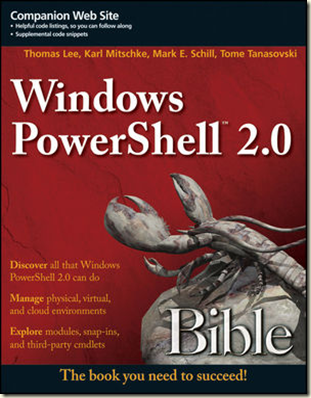
Windows PowerShell Bible To Be Published Soon!

I am really pleased to see that the PowerShell Bible 2.0, from Wiley, is due to be published very soon.


image

This labour of love from Karl Mitschke, Mark Schill and Tome Tanasovski took a lot of time and effort. I’m so glad to see it finished and nearly in the shelves.

Feel free to visit any book seller and buy as many copies as you like. Once the book is published and I get my rather meager allowance of them, I will have a few copies to give away to those folks who attend my PowerShell Master Classes!

Tuesday, September 20, 2011

PowerShell V3 - Autoloading Modules

Autoloading is a cool feature in PowerShell V3. With Autoloading, PowerShell allows you to ‘see’ cmdlets included in module without you needing to explicitly loading the relevant module. And when you need to run the cmdlet, the module is loaded automatically by PowerShell.

For example, if you run Get-Module on a newly opened PowerShell V3.0 CTP1 prompt, you get the following:

PSH [C:\foo]: get-module

ModuleType Name ExportedCommands
---------- ---- ----------------
Manifest Microsoft.PowerShell.Core {Add-History, Add-PSSnapin, Clear-History, Connect-PSSession...}
Manifest Microsoft.PowerShell.M... {Add-Computer, Add-Content, Checkpoint-Computer, Clear-Content...}
Manifest Microsoft.PowerShell.U... {Add-Member, Add-Type, Clear-Variable, Compare-Object...}


if you then run a cmdlet contained in a module (e.g. Get-CimInstance), then re-run the Get-Module, you see the relevant module has been autoloaded, like this:

PSH [C:\foo]: Get-CimInstance win32_bios
SMBIOSBIOSVersion : A05
Manufacturer      : Dell Inc.
Name              : Default System BIOS
SerialNumber      : 804HWM1
Version           : DELL   - 6222004

PSH [C:\foo]: get-module

ModuleType Name                      ExportedCommands
---------- ----                      ----------------
Manifest   CimCmdlets                {Get-CimAssociatedInstance, Get-CimClass, Get-CimInstance, Get-CimSessio...
Manifest   Microsoft.PowerShell.Core {Add-History, Add-PSSnapin, Clear-History, Connect-PSSession...}
Manifest   Microsoft.PowerShell.M... {Add-Computer, Add-Content, Checkpoint-Computer, Clear-Content...}
Manifest   Microsoft.PowerShell.U... {Add-Member, Add-Type, Clear-Variable, Compare-Object...}

As you can see, PowerShell automatically loaded the new CimCmdlets module as needed. This is a neat feature.

One proviso  - autoloading does not appear to work with script modules. Sad smile

PowerShell Version 3–First CTP is available NOW

The first beta version of PowerShell 3 is now available to the public. To give it it’s full name, Microsoft today released the Windows Management Framework 3.0 Community Technology Preview (CTP) #1. This allows you to install PowerShell 3.0 onto systems running Vista/Server 2008 and later  Windows 7 and Server 2008 R2. So if you want to play with PowerShell 3 but are not yet running a Windows 8 version, this is the package for you.

To get the ‘bits’, navigate to the Microsoft Download centre where you can pick up a .cab file for either a 32-bit or 64-bit version of Windows. To install it, you must first expand the cab file using the Expand utility, then you run WINDOWS6.1-KB2506143.MSU.

Running the Windows patch, you are asked to accept the EULA (as per most installations these days) and the installer just does its stuff. For reasons I can’t explain this morning, the installation requires a reboot.

Once you reboot, you can see the new version of PowerShell

image

I’ve got a lot more to tell you, but I want to get his posted now prior to a long flight. I’ll post more later today on this new version of PowerShell

Technorati Tags:


[Later] Re-reading the documentation, this version of WMF is not supported on Vista or Server 2008, but only on Windows 7 and Server 2008 R2.

Sunday, September 18, 2011

The Build Videos–Getting Them With PowerShell

I’m just back from the //BUILD/ concerence in Anaheim – where I missed far more sessions than I could have ever hoped to attend. It was 3 1/2 days of the fire hose – I get tired just thinking about it. Luckily for us, Microsoft has taped every session and has put them up for download.

By day 2, superstar PowerShell guru James Brundage had created a great PowerShell function to download the whole set.

Get-EnclosureFile -Directory $home\Videos\Build -Feed http://channel9.msdn.com/Events/BUILD/BUILD2011/RSS

function Get-EnclosureFile  {
<#
    .Synopsis
        Downloads enclosure files from a feed
    .Author
        James Brundage
    .Description
        Downloads enclosure files from a RSS feed using the BitsTransfer module
    .Example
        Get-EnclosureFile -Directory $home\Videos\Build -Feed
http://channel9.msdn.com/Events/BUILD/BUILD2011/RSS
    #>

param(
# The directory where the files should go
[string]$Directory,
# The Feed
[uri]$Feed
)

begin {
Import-Module BitsTransfer –Global
}

process {
New-Item -ErrorAction SilentlyContinue $directory -ItemType Directory
Push-Location $directory
$Rss =(New-Object Net.Webclient).DownloadString("$Feed")
$xfer = $Rss |
    Select-Xml //item/enclosure |
        ForEach-Object {
            $url = [uri]$_.Node.Url
            $destinationFile = $_.Node.ParentNode.Title
            foreach ($char in [io.path]::GetInvalidFileNameChars()) {
                $destinationFile = $destinationFile.Replace("$char", "")
            }
            $destinationExtension= $url.Segments[-1].Substring($url.Segments[-1].LastIndexOf("."))
            if (-not (Test-Path $destinationFile)) {
                Start-BitsTransfer -Source $url -Description $_.Node.ParentNode.Title -Destination "${destinationFile}$destinationExtension"
            }
        }

    Pop-Location
    }
}

To call the function, just do something like this:

Get-EnclosureFile -Directory $home\Videos\Build -Feed http://channel9.msdn.com/Events/BUILD/BUILD2011/RSS

Of course, you better have a lot of disk space (I’ve taken up 21GB so far!). Oh – you also need a reliable connection (and you have Windows Bloody Update not decide to reboot).

Enjoy!

Saturday, September 10, 2011

Lync PowerShell Support forum on PowerShell.Com

For those of you who are using PowerShell with Microsoft’s Lync Server, there’s a additional place to ask questions – and get answers. Namely the Lync PowerShell forum on PowerShell.com. It is one of the two forums I moderate on PowerShell.com and I am ably assisted by superstar Lync MVP Marshal Harrison.

The Lync PowerShell forum is a place both to hang out and to ask (and answer) questions. Some for those of you learning PowerShell along with Lync, hope to see you there.

And for those of you with Twitter accounts, why not Tweet about this forum!

Lync 2010 Resource Kit is Released

The Lync Server 2010 Resource Kit is a technical reference to Lyn Server and extends the planning, deploying and managing documentation in Microsoft’s Lync Technical Library.

After a number of months in preparation, the Lync Server 2010 Resource Kit has been published – and you can download it for free from Microsoft. The book has 18 chapters and you can download each one from the Microsoft Download Center.  And from the same page, you can also get a single zip file with all the documents.

If you are interested in Lync, then these documents are a must read.


Technorati Tags: ,

Friday, September 09, 2011

Just when you think it’s safe to move to the cloud

I currently use those very nice people at CobWeb for my email service. I have a singe user account, utilising Exchange 2007 (2gb mailbox) which costs a mere £6.00 a month.  The service from CobWeb, for mail, has been outstanding – not a single noticeable glitch in over a year. It took a couple of days to get mail flowing when I first signed up, due to long DNS, but that was quickly resolved. Since then, it’s been flawless. And that’s the level of service that I guess I expect. Not being able to get to my mail is, as someone who is self employed, simply bad news!

I’ve been playing with Office 365 and am very impressed with the overall service – for not much more money than I currently pay, I could move up to a 25gb mailbox (not that I actually need such a large mailbox, but it’s the principle!), and get SharePoint and Lync thrown in. It’s Lync that is especially interesting – the new Lync client is so good, that I’m tempted to move just for that!

Then I read this: http://www.bbc.co.uk/news/technology-14851455.

While this explains the downtime, I suppose you could argue that a couple of hours downtime is no big deal especially as it took place overnight. But look at the Office 365 service’s reliability record since GA at the very end of June – it was down briefly in August, then again this week. In just over 2 months of live service, two outages in 2 months. 

Of course, Microsoft is not alone in having challenges. Google had an outage this week as well. And in April, Amazon’s infrastructure failed taking down a number of sites, including Foursquare.

So is this latest outage just a bit of teething/growing pains on the part of Office 365 or something else? I remember the trials and tribulations Demon had in the very early days – scaling massively a service that’s growing massively is very hard work! So, I suspect it’s a combination of factors. Certainly, developing and delivering scalable and highly reliable solutions, especially to Internet scale, is just plain difficult. Things that probably shouldn’t go wrong do – at least until there’s enough experience to make those problems a thing of the past. So I feel that at least a goodly portion of the ‘blame’ must lie in growing pains – which one would expect (hope) die off.  Certainly taking the latest and greatest versions of the software has risks. Cobweb is still running Exchange 2007 while O365 is using Office 2010 and related servers. But the features are so much better, I hear you say!

In my view, Microsoft released Office 365 a tad early. The outages, the problems with federation with Live, and of course the still missing PowerShell cmdlets for Lync Online and SharePoint online do not make for a perfect story. And I’d really have liked to see a full voice solution in terms of Lync online (but I know that such a feature is likely to reveal a number of challenges both technical and legal). The  outages (yesterday’s and the one in August) and lack of tools would have been noteworthy but not complaint worthy had the service still been in beta.  Maybe Microsoft should have considered a longer beta? I certainly think another 6 months would have been appropriate and might have enabled Microsoft to get better at running this vast service.

So what’s to be done. Certainly, as the BBC article points out, “the number of high profile failures have dented confidence in cloud computing”. But I do believe that eventually, MIcrosoft and the rest of the cloud vendors will get it right and we will see cloud computing as an everyday thing. I suppose it pays to be cautious. I’ve put on hold my plans to move my business email to Office 365, but I’m watching things carefully.


Technorati Tags:

Thursday, September 08, 2011

Hyper-V in Windows 8

Microsoft have announced some more details of Hyper-V in Windows 8 in the Building Windows 8 blog: http://blogs.msdn.com/b/b8/archive/2011/09/07/bringing-hyper-v-to-windows-8.aspx

There are two really exciting things about this. First, Hyper-V is included in the Windows 8 client – I don’t have to have Server loaded to run it. That is going to be huge news to those folks using the client as their workstation/laptop/desktop. We can get rid of the rather poor VPC 7 product (and of course stop using Oracle/VMware).

The second really cool thing is that Hyper-V will support wireless adapters. This is a huge benefit for those of us on the road using Wireless everywhere. I have  new laptop with an 802.11N wireless adapter that I will now be able to use. I can’t wait to upgrade my laptop to Win8!!

These are both welcome additions – I can’t wait to get my hands on the beta next week at BUILD!

Technorati Tags: ,,

Office 365–A nice E-Book and an update on PowerShell Support in Office 365

Microsoft released Office 365 to General Availability at the end of June 2011. It’s been a couple of months since that happened and I’ve just noticed two things.

First my good friend Katherine Murray has released a free eBook from Microsoft Press. You can find details of the book here. And to download the book, just click here. The book is 299 pages long and covers the full set of features contained in the shipping version of Office 365. One small omission, IMHO, is that there is no coverage of PowerShell for administering Office 365. Having said that, MS Press have indicated that updates to the book “will become available in the future” – so perhaps we’ll see more PowerShell Coverage soon. Having said that, the book looks complete and I am keen to work though the contents learning a bit more about, in particular, SharePoint! Good job Kathleen.

Following on from that, the announcement of the book encouraged me to look again at the use of PowerShell in Office 365. Frankly, I’m somewhat disappointed – the situation hasn’t really changed since I wrote about it in April. At present there is support for a set of general Office 365 cmdlets, which my good friend Jan Engil Ring has described in his blog here. As you can see from that blog post, you can download the Microsoft Online Services module from Microsoft as either 32-bit or 64-bit. There is also support for Exchange online – the code I used my April blog post still works just fine – and gives you 229 cmdlets to manage Exchange online.

Sadly, there is no PowerShell support for either SharePoint Online or Lync Online. IMHO, this is just another indication that Office 365 shipped before it' was really ready. Hopefully we’ll see these cmdlets emerge soon – but there is nothing official other than they ‘will come later’.

In summary, Office 365 is maturing, with some good documentation and some limited PowerShell support. With a bit of luck, the additional PowerShell cmdlets and support will come sooner rather than later – I’ll be sure to blog when I find it!!

Technorati Tags: ,

Tuesday, September 06, 2011

Build Conference Getting Closer

The build up (forgive the pun) to the Build conference is slow but relentless. For those not in the know, Build is Microsoft’s upcoming developers conference around Windows 8, the next version of Microsoft’s Desktop (and Server) operating system. Although due out till 2012, until recently details of what’s coming have been scarce.

As I’ve blogged previously, Microsoft is slowly releasing details of what will make it into Windows 8, albeit in a verbose and rather opaque fashion (not dissimilar to how they handled Windows 7). The Build conference is intended to be where Microsoft open the Kimono, but if the current agenda (http://www.buildwindows.com/Agenda) is anything to go by, details in Anaheim will be thin. We’ll have to see, although having taken millions in conference fees, it’s rather sad that Microsoft can’t be a little more open about who’s speaking, when, and about what.

Microsoft has also been blogging about the contents of Windows 8 at http://blogs.msdn.com/b/b8/. There’s a very low signal to word ratio – lots of words, but not a lot of meat yet. The blog claims to be a dialogue, but so far, it’s been a monolog. Each blog post has generated a LOT of comments (the Improvements in Windows Explorer article, for example, has generated 1175 comments thus far!). But the number of responses is low – which I suppose is to be expected given all the comments. Also, given the blog engine being used, it’s really hard to see any thread/conversation. The comments are all sequential. I also note that some comments are being deleted – I’ve posted two comments that have somehow vanished.

Build should be a good event – for me at least it’ll be a chance to socialise with a bunch of friends. And given how cold and wet England is this year, a little south California sunshine is most welcome!

See you at Build!

Monday, August 22, 2011

PowerShell PowerCamp–November 5/6–Bookings Now Open

What is it?

This fast paced weekend event covers all the key aspects of Windows PowerShell - from the command line and writing production-oriented scripts. We start with the basics including installation and configuration, formatting and providers and remoting. We then look at scripting, managing script libraries using modules, using objects, and finishing with the PowerShell features added into Windows. We finish with a look at PowerShell in the cloud and what’s coming with PowerShell 3.
The event will be all lecture, with the opportunity to type along with the tutor.

What is the Agenda?
Day 1 – The Basics
• PowerShell Fundamentals – starting with the key elements of PowerShell (Cmdlets, Objects and the Pipeline) plus installation, setup, and profiles
• Discovery – finding your way and learning how to discover more
• Formatting – how to format output nicely – both by default and using hash tables and display XML
• Remoting – working with remote systems using PowerShell’s remoting capabilities
• Providers – getting into OS data stores via PSProviders
Day 2 – Diving Deeper
• Scripting Concepts – automating everyday tasks including PowerShell’s language constructs, error handling and debugging (both from the command line and using an IDE)
• Modules – managing PowerShell script libraries in the enterprise
• .NET/WMI/COM Objects – working with native objects
• PowerShell and Windows Client/Server – how you can use built in PowerShell cmdlets
• PowerShell in Key Microsoft Servers - a look at PowerShell today in SQL, SCVMM plus a look forward to the future with SharePoint 2010
• PowerShell and the cloud – this module looks at PowerShell in the cloud and how you can use PowerShell to manage cloud computing.
• PowerShell 3 – this final module will show you what’s new in PowerShell V3, based on the the latest Beta of Windows 8.

What will it cost?
The cost is £200 (+VAT at the prevailing rate) for the weekend. Meals and accommodation are not covered.

Where is the event going to take place?
The PowerShell PowerCamp will be held at Microsoft Cardinal Place, 100 Victoria Street in Victoria on the weekend of November 5/6 2011.

Who is the tutor?
The PowerShell Weekend PowerCamp will be delivered by Thomas Lee. Thomas is a veteran PowerShell MVP who has been involved in the PowerShell community since the very beginning. He provides training and consultancy around a range of Microsoft products, with a recent focus on PowerShell and Lync Server. Thomas runs PowerShell training courses around the world, and has been a speaker at conferences across the world for the past decade. In his spare time, he lives with his wife, daughter, and wine cellar in a small cottage in the UK. His Twitter handle is DoctorDNS and he maintains two blogs (Under the Stairs at http://tfl09.blogspot.com and PowerShell Scripts Blog at http://pshscripts.blogspot.com)

What do I need to bring
You need to bring a laptop with at least two VMs pre-configured. The first should be a Server 2008 R2 domain controller and the other one a member server. And if you have access to the Windows 8 beta, bring along a Win8 VM for the look at PowerShell V3. The virtualisation software is not of concern – but you need 64-bit guest OS support. Thus you can use Hyper-V, VMware Workstation or Oracle’s Virtual Box.

How do I book?
Contact DoctorDNS@Gmail.com to book a place and to arrange for the invoice to be paid. Payment will need to be cash, cheque or bank transfer – I don’t take credit cards.

More Details
Watch Thomas’s blog for any hot breaking news on the event.

Friday, August 19, 2011

If they BUILD it, will they come?

That question comes from Field of Dreams, a movie in which Kevin Costner builds a US baseball and attracts the Black Socks. In my experience, though, the answer to the question is usually only true in movies – in real life, just building something is often not enough – it often takes a lot of effort and costs a lot to attract your audience. But not always – as Microsoft’s demonstrated with their BUILD conference being held in Anaheim in September.  I wrote about this conference last week in an article in Pacific IT News where I’m writing a series of articles about BUILD.

In this case, the answer is a resounding YES. BUILD is sold out, despite the economy and the utter lack of details about the conference. This is quite surprising and perhaps positive in terms of developers. It’s all part of Microsoft’s marketing approach for Windows 8.

The BUILD conference is taking place in Anaheim California on 13-16 September. You can see what details exist about the show at: http://www.buildwindows.com/. BUILD will be the first time most developers and many hardware developers will get a chance to see and hear about Windows 8.

In earlier versions of Windows, Microsoft had a long beta programme and took input from beta testers. I recall fondly the NNT 5.0 beta period of several years. And for those with longer memories, the Win95 beta programme featured near-weekly releases to test.

With Windows 8, all that openness is a thing of the past – just like Windows 7, we have the ‘cone of silence.’ MS staff are under significant pressure to reveal nothing – as recently as February key staff were even forbidden to say the words ‘Windows 8′ or to even hint at what might or might not be included. And leaked builds were not as common place as during the XP or Vista days, although in preparing for this article it took me around 3 hours to find and download what appears to be a legitimate leaked build. In earlier generations of Windows, beta testers were more involved and the beta test process longer. With Windows 7 and now Windows 8, that’s a thing of the past. It appears likely we’ll have just one real beta release sometime soonish, with the probability of a single RC nearer to RTM.

So why do IT Pros care about BUILD in the first place. IT Pros should care because BUILD is where MS will let you see what will be coming in Windows 8. Unlike earlier versions of Windows, what you see released of BUILD will pretty much be what we all get as Windows 8 when that is finally released. So if you or your organisation is running earlier versions of Windows, particularly Windows 2000 and XP, Windows 8 is most likely your future. On current timescales, Win 8 will almost certainly be released before XP mainstream support ends. Given the ascendency of Google with Android and Apple with iPad and iPhone, Windows 8 may be Microsoft’s most important version of Windows to date. It could become a game changer. Ballmer is right to be nervous about Windows 8.

What’s IN Windows 8? That is a great question – and one I really can’t answer. Anyone who does know what is in Windows 8 will  be under a pretty draconian NDA – and I would bet MS will be pretty fierce on those who break the NDA. Speaking personally, I do not want to have MS’s lawyers on my case! Personally, I think this approach is poor, but it’s the way MS has chosen to go. We do know a little about Win 8, but BUILD is where we’ll see some semblance of the final product. Of course, given the development approach being taken, what we see at BUILD will pretty much BE what Windows 8 will be – it’s too late in the cycle to do much other than cosmetic stuff. Sadly, gone are the days when beta testers mattered to the Windows development team.

As part of a very carefully crafted disclosure approach, we know that the UI will be, at least partly, based on the Windows Phone tile UI as disclosed by Julie Larson Greene (http://www.microsoft.com/presspass/features/2011/jun11/06-01corporatenews.aspx). You’ve no doubt have seen the demos by now.

We also know MS are planing to deliver one version of Windows 8 across phone, tablet, desktop and server. That approach has caused some raised eyebrows and seems to generate more questions than answers. Quite how MS will get the bloat that is Windows to fit into a phone and tablet without poor battery life is an interesting question. We also know that at the Partner Conference, MS announced windows 8 would include some improvements in Hyper-V. But beyond that details are sketchy. From the looks of it, Hyper-V may be part of Windows 8 clients as well as for the server.

While industry reaction is understated so far, some critics are positive on the potential benefits, but well, critical on other points. Jon Honeyball, for example, raises some interesting questions in a recent blog article http://www.pcpro.co.uk/featu res/367813/windows-8-could-i t-be-more-than-lipstick-on-a –pig

I imagine, as a PowerShell MVP, that we’ll see a new version of PowerShell – but what that consists of is still highly secret. We’ll also probably see improvements in Windows Server for the cloud -  but details thus far are pretty minimal. There have been a few leaked builds – but a lot less than in previous years. I’m pretty certain that torrent sites will quickly have any builds handed out at BUILD – and I’d hope that MSDN subscribers will also be able to download those builds at the same time.

One more positive thing, the Windows Team have begun their official Win 8 engineering blog, also known as the Building Windows 8 blog. The first article, http://blogs.msdn.com/b/b8/archive/2011/08/15/welcome-to-building-windows-8.aspx written by Steve Sinofsky, sets out the aims of the blog. In this 1200+ word article, no real details are given, but some promises are made. In particular: “We'll participate in a constructive dialog with you. We'll also make mistakes and admit it when we do.” It remains to be seen how much of a true dialogue this will be – I am not expecting much more than the blog being a useful monologue on what MS has chosen to do in Windows 8 and their justification of it. I doubt any mistakes will be ‘found’ or ‘admitted’. We’ll see.

BUILD is just a few weeks away and I’ve got flights and hotel booked. If you’ll be there, please add a comment to this article and let’s meet up – I’d love to hear your views.


Technorati Tags: ,

Thursday, August 18, 2011

PowerShell Cmdlet of the Day Podcast

I see Tome Tanasovski, PowerShell MVP from New York, has started an interesting new podcast, the PowerShell Cmdlet of the Day Podcast. It’s inaugural  edition was yesterday and it looked at the Get-Input cmdlet from the ShowUI modle. It’s worth a listen to! And be sure to send in your comments!

You can subscribe to the Podcast on Itunes, via the website: http://cmdlet.wordpress.com/. You can also get the RSS from Feedburner at: http://feeds.feedburner.com/cmdlet.


Thursday, July 21, 2011

PowerShell User Groups

PowerShell is slowly becoming totally mainstream – and along with that there are user groups springing up around the world! Some of these groups, like the the UK PowerShell user group, have been around for many years and are going strong. Some are new and growing. But they all enable their members to learn more about PowerShell.

Mark Schill has done some great work with PowerShellGroup.org, a site that promotes the PowerShell User Groups around the world. His latest endeavor is a Google Map of all the user groups – well the ones he knows about so far! You can see this at:http://powershellgroup.org/map/node. Pretty cool.

So – if you are a member or a leader of a PowerShell user group or scripting club, make sure Mark knows about you and your group. Make sure you are on the site. And if you are interested in either starting a new group or seeing where there are groups, then head over to http://powershellgroup.org.

Wednesday, July 20, 2011

Enabling PowerShell Remoting Using Group Policy

As I work with clients to deploy and leverage PowerShell, several issues almost always come up and need to be solved. One of those relates to remoting. Remoting in PowerShell V2 is a fantastic feature but is not on by default. You can easily enable it by using the Enable-PSRemoding Cmdlet – but if you have a lot of systems in your environment, it can take a while to do this consistently. But as ever, there are ways around this.

My good friend Jan Egil from Crayon in Norway, another super-star PowerShell MVP from a cool consulting company, has written a great blog article showing you how to Enable and configure PowerShell Remoting using Group Policy. It’s a well written article that vies some great advice.

Friday, July 15, 2011

PowerGui 3 is Released

Those very nice people over at Quest have released a new version of their wonderful PowerShell tool: PowerGui. You can see the detaisl of what’s new in this release by reading the release notes at: http://tinyurl.com/43ms33q.

PowerGUI 3 is a free download. There’s also a professional version you can get which includes some extra tools. The coolest part of PowerGui pro is the MobileShell. This enables you to perform systems management using PowerShell from your mobile device or a web browser. The Pro version also enables you to create an .EXE file from your PowerShell script. The commercial version is $199.

Thursday, July 14, 2011

Lync Databases

If you are an IT Pro managing Lync, you know that Lync has a key dependency on SQL databases. For the most part, you don’t need to know the details of what databases Lync actually uses but at times that knowledge can be very useful, like during troubleshooting! As a Lync (and OCS) trainer, I know a fair bit about how Lync (and OCS before it) makes use of SQL, but there are details that, until now, I wasn’t totally clear on,

Curtis Johnstone has written a great article on The Lync Server Databases which covers the databases used and what they are used for plus some other relevant information about SQL server (and what  versions are needed).

I recommend reading this article (and bookmarking it) to learn more about this topic.

Technorati Tags: ,,

Tuesday, July 05, 2011

Edit PowerShell Scripts from Your iPad

I’ve just seen a pretty cool product for the iPad I don’t yet own (but lust after). It’s called Koder and is a US$5.99 app for iPad only. It’s a little bit like Notepad++ although a lot richer. I has syntax highlighting for a variety of languages – over 20 including PowerShell.

You can read a review of the product here: http://www.148apps.com/reviews/koder-review/, and can look at the manufacturer’s website here: http://www.koderapp.com/. The product is available in Apple’s normal way – via their App Store.

If I had an iPad, I would buy this application! Maybe after I finish paying for my new laptop!

Technorati Tags: ,

Friday, July 01, 2011

Office 365 is released

On June 28th, Microsoft released Office 365 – their office software as a service product. I previously blogged about the product in mid-April - http://tfl09.blogspot.com/2011/04/getting-started-with-office-365.html. During the latter stages of the beta, Microsoft did continue to tweak the product but what they released is more or less what I blogged about in April.

Network World has an article on the product which examines how Office 365 stacks up against Google’s Google Docs. It concludes that Office 365 “will likely attract a big audiencef, since a huge number of businesses already use Microsoft products already.

Office 365 is sold on a range of price points – or plans. The cost ranged from US$6 to US$27 per month per user, depending on what services you contract for.  This compares with Google App’s price point of US$50/year.

I like Office 365 and have enjoyed using it during the beta. I recently did a neat demo with it, talking from Luxembourg (at a client site) to two pals – one in Singapore the other in Thailand. All of us were on wireless LANs and the performance was darn good.

The Network World article notes that MS did not address any of the limitations of Offfice 365, but that said – the product as it stands is not bad! I look forward to seeing a lot more hard evidence about the overall quality of the product as we start to roll it out.

Technorati Tags: ,

Thursday, June 30, 2011

How do you know when a product hits mainstream?

I’ve long held the view that an product is ‘mainstream’ when other vendors release products and proclaim “Our product Y completely replaces product X”. Some times the vendor’s statement is accurate and sometimes it’s marketing puff. But no mater which way you view product Y, there’s some grudging recognition that product X is not bad.

The product in question today is Fast Track Scripting Host. Don Jones recently re-reviewed FastTrack Scripting Host in an artile for Windows IT Pro here. This article was a re-review of the product – he previously reviewed the product last year.

Having had a quick look at it, I agree with Don that while there are certainly some advantages to this product, it may not truly be the answer to all an IT Pros’s prayers. But take a look at it – what do YOU think?

Thursday, June 23, 2011

Managing Cisco UC with PowerShell

In another endorsement of PowerShell, Cisco has announced earlier this month a version of the Unified Computing System Manager PowerShell toolkit. While the tool kit is still in beta, it’s an interesting announcement on two fronts.

First, if Cisco takes on PowerShell, that must say something about the cross-platform value in PowerShell as well as speaking to PowerShell’s potential to manage pretty much anything in your environment. That in itself is pretty cool news.

But second, it shows how versatile PowerShell can be. It’s taken 8 some odd years to get where we are now, but where we are now is that PowerShell provides a great extensibility platform. The UCS toolkit is based on using Cisco’s UCSM XML API for the communication between the UCSM instance and your windows system. The UCSM toolkit is then delivered as a small module you can import into your PowerShell session and away you go.

It’s cool to note that Cisco appears to have done their PowerShell support ‘right’. They’ve included help files, they are complying with the verb-noun naming, and the toolkit is built to work properly in the pipeline. Nice job Cisco!

You can read more about the toolkit at http://developer.cisco.com/web/unifiedcomputing/pshell-download. You can download the toolkit itself from http://tinyurl.com/43ms33q although you need to have rights to login to Cisco’s site.

Wednesday, June 22, 2011

Managing Virtual Box with PowerShell

Like Jeff Hicks, I rely on virtualisation for my work, and I too use Oracle’s Virtual Box. As Jeff mentions in a recent blog article, it’s light weight, has a pretty low footprint and works. In the office and classroom, I often use Hyper-V, but I have Virtual Box on my Windows 7 laptop and use it for demos, for writing and for the occasional short PowerShell chalk/talk class.

Now I discover that Virtual Box has a COM interface to enable management, and Jeff’s written a module to enable you to use it. You can get this module from Jeff’s blog site. I’ve downloaded it and will be putting it onto my Win7 laptop very, very shortly!

Tuesday, June 21, 2011

The Book’s Done–Time For Fresh Air!

For the past 6 months or so, I’ve been engaged in writing a book, PowerShell Bible, for Wileys. I’m one of a team of authors – fellow writers include Karl Mitschke, Mark Schill, and Tome Tanasovski.  All known folks in the PowerShell community. The book should be out in the autumn and I’ll be sure to post more nearer the time!

Now that my writing is over – we ‘just’ have author and tech review to do! – I can turn my thoughts back to my two blogs and add a few more scripts and other entries.

It’s time to descend into the cellar and choose something good to drink tonight to celebrate!

Technorati Tags:

Friday, June 17, 2011

Asynchronous Event Handling in PowerShell

Thanks to MOW for a pointer to A Hey Scripting Guy blog entry by super-star Bruce Payette. This article comes from part of his recently updated PowerShell In Action (2nd Edition).

In windows, events tend to happen asynchronously – rather than synchronously. An event typically occurs in some other process or some other part of WIndows aside from the PowerShell console you are using to handle the event. This takes a different approach to writing PowerShell code as Bruce explains.

This section of his book should convince you to buy the book (unless like me you already own it). Go and buy it. And to save 35% use Promotional Code payette22035 when you check out at www.manning.com.

Technorati Tags: ,,

Friday, June 03, 2011

Spell Checking Strings in PowerShell scripts

Let’s face it – spelling misteaks suck. Whether in a blog post or in a PowerShell script. Doug Finke has written a nice article on this subject that shows  how to spell your strings in your scripts. He even includes a script to do it! You can Download the PowerShell script  HERE.

Technorati Tags: ,,

Wednesday, May 25, 2011

Lync Resource Kit Server Administration Chapter Published by Microsoft

I just got email that Microsoft has published another Lync Resource Kit chapter or your edification. This chapter, Server Administration, was written by Indranil Dutta and Jens Trier Rasmussen. I was, with others, one of the technical reviewers. You can either download just this chapter, or download all 8 of the published chapter from here.

There are three key aspects to this chapter. First, the chapter covers Lync’s Central Management Store, including the data stored in the CMS, how replication of CMS occurs, and how to manage the CMS. The second section looks at the Lync Server Control Panel and how it works. The final section talks about Role Based Access Control and how to create custom RBAC scopes.

IN looking at it, one thing kind of missing is  Management using PowerShell – perhaps an introduction to PowerShell’s object model inside Lync. RBAC is based on PowerShell, so using RBAC and creating custom roles is covered. With over 600 cmdlets, I would have preferred some more details in the Server Administration chapter. Call me fussy!

The writing in the chapter is good, and it’s illustrated by some excellent diagrams. This chapter is 24 pages long – and well worth a read if you are architecting or implementing Lync Server.

Monday, May 23, 2011

Reflections on TechEd 2011

I’m back in the UK after a week of TechEd 2011 in Atlanta (USA). I’d been quite ill before TechEd so just getting there was some effort – but well worth it! I spent most of my time on the PowerShell product booth in the Expo hall. It was quite a privilege both to hang out with members of the product team and meeting customers who both were using PowerShell and those who were just getting into it.

Overall, TechEd for me was pretty low key. There was virtually no sex appeal (and an amusingly failed demo during the keynote). But I suppose that that is not too surprising as we’re in that quiet interim between major OS and Office waves. The Wave 14 stuff (Win7+Office 2010 et al) have all shipped and are slowly being deployed (and was the focus of TechEd by and large). But there’s still an awful lot of XP out there now wondering if they should wait for Windows 8. Sadly, thanks to the ‘Cone of Silence’ being imposed within Microsoft, details of wave 15 are very thin on the ground. Heck, last week, some folks had to keep saying “Windows V-next” (i.e. couldn’t even say “Windows 8”).

But much like super-injunctions, the word eventually will eventually get out – so at last we can talk about both there being a Windows 8 and it coming in 2012, which means we can begin formally to speculate on a PowerShell V3 (assuming there is going to be one, etc., etc.).

It would have been nice to have had the Windows 8 announcement, as well as the news of 500 new features in the next edition of Windows Phone at TechEd, rather than a more obscure Japanese developer’s conference. There sure were a lot of big companies at TechEd getting very little forward information – and that was a huge disappointment for them and me. MS’s spin doctors need to remember who their friends are and open the kimono a bit. 

From the PowerShell perspective, the types of questions being asked on the stand differ from the last couple of years. I guess it was to be expected, but I got a lot of really great, depth questions – how to actually do clever stuff with PowerShell. It showed that for many, PowerShell is now a given and they are starting to leverage it. I even got a really good bug reported during the week – and that’s kind of cool (although I still need to file it) as it shows that people are pushing the product.

Having the chance to chat at some length with PowerShell team members is also very useful. First, it reinforces just how smart these guys are but second, it helps to communicate community concerns back to the folks best equipped to resolve them. That alone makes it worth coming to TechEd!

There were still a large number of PowerShell newbies, and those who kind of understand what it’s all about, but are not comfortable using it (yet). The folks I talked too walked away really understanding more (even if what they found is a bug in PowerShell!) and I hope just a little more excited about the product.

It was also great that the PowerShell team kindly gave me two minutes during a couple of breakout session talks to say a few words about PowerShell and it’s rich and diverse community. It was great to be able to evangelise the great folks out there who live and breathe this stuff – I just love sharing their passions and skills.

As ever, the social and networking side of TechEd was awesome. It was a great chance to meet up with old friends, and make some new ones. The PowerShell geek dinner, always a highlight for me of TechEd, was especially good this year with a lot more fellow PowerShell-aholics! The MCT community was very much in evidence too – it was great to meet so many old-time MCTs and meet so many new ones. The MVP community, on the other hand, seemed muted – not sure there was even an MVP event this year! The Attendee party was cool – I really enjoyed seeing the Whale Sharks. The Atlanta aquarium is a pretty impressive place. Oh – and the food (well the food I ate) was good – excellent.

All in all, it was a good week – I’m glad I went and am looking forward to next year!

Technorati Tags: ,

Monday, May 16, 2011

Lync Server 2010 Resource Kit

One of the neat aspects of the Lync Server 2010 Resource is that it’s being published online, chapter by chapter as each chapter is finished. I suspect there will eventually be a physical book, in the meantime, Lync admins can get the deep technical and management info direct from the web.

Today, the latest chapter, Troubleshooting Lync, was released. To get this and the other released chapters, navigate to http://www.microsoft.com/downloads/en/details.aspx?FamilyID=8c64a1e1-f0b3-479c-a265-e480875c61d8&displaylang=en and download from there. You can download each of the 7 chapters published so one by one, or get a 12MB ZIP file with all the chapters.

If you are using Lync, or considering it, these downloads are mandatory reading.